
Stony Plain · Spruce Grove · Parkland County
Slow computer? We'll tell you why — and whether it's worth fixing.
“Slow” usually means one of four things: a tired drive, low RAM, software bloat, or a hardware problem hiding underneath. Your computer goes on the bench before there’s any charge — we diagnose, call you with what’s actually going on, and tell you what makes financial sense to do about it.
- Free 5-minute triage
- Call before any money is involved
- Clear quote before repair
- Edge cases welcome
- 90-day repair guarantee
Uses assets/photos/ssd-upgrade.jpg
Why is my computer slow?
There are four common causes. Most slow machines are a mix of two or three.
1. The drive is the bottleneck
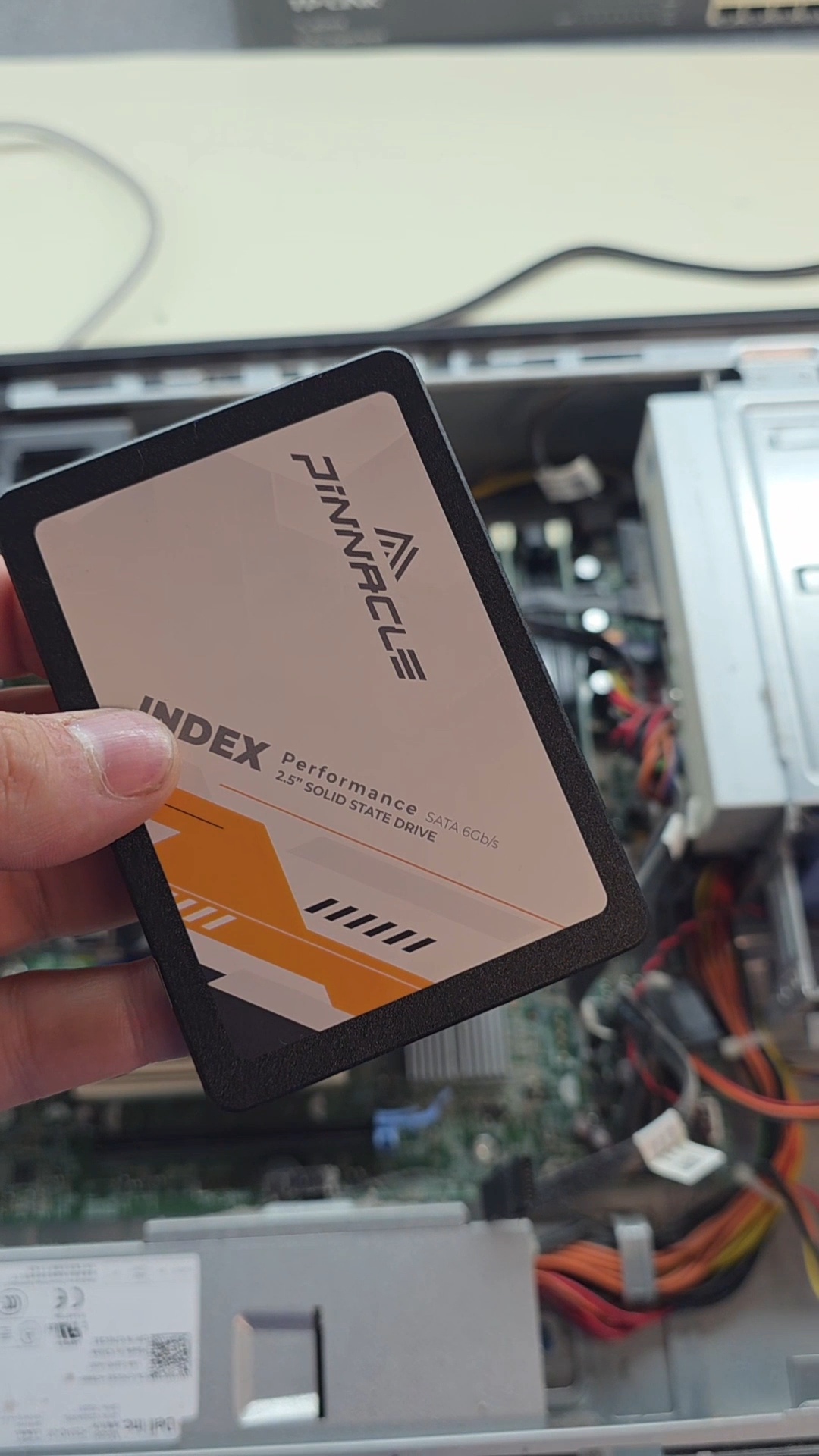
If the machine still has a spinning hard drive (HDD), the drive is almost certainly the slowest part of it. An SSD upgrade typically takes a 2-minute boot to 15 seconds. This is the single highest-value fix on most laptops 5+ years old.
2. Not enough RAM
Modern Windows and macOS are heavier than they used to be. 4 GB of RAM is painful in 2026. 8 GB is the practical floor. 16 GB is comfortable. RAM upgrades are cheap on most laptops and desktops — when they're upgradeable.
3. Software bloat & startup load
Years of installed software, browser extensions, and startup programs can add a minute or more to boot time. We clean it out properly — not just "we ran a free cleaner."
4. Hardware that's about to fail
A failing drive, dying battery, dust-clogged fans, or thermal throttling can all feel like "slow." Some of these are cheap fixes. Some are warning signs that a bigger failure is coming. The further diagnosis tells you which.
What we do
- Free triage — call/text/walk in. We help decide if further diagnosis (if needed) makes sense or if the answer is obvious.
- further diagnosis — full hardware + software diagnosis, including drive health, RAM, thermals, and software load.
- Clear recommendation — repair, upgrade, replace, or leave alone. With a flat-rate quote.
- Approved upgrade or repair, with a 90-day guarantee.
FAQ
Slow computer questions.
Should I just buy a new one instead?
Sometimes yes. If repair cost approaches replacement cost, or if the hardware is too old to upgrade, we'll tell you. The further diagnosis exists to give you that answer honestly.
Will an SSD really make that much difference?
On a machine with a spinning drive — yes. It's the most dramatic upgrade most laptops can get, by a wide margin.
How long does an SSD upgrade take?
Typically 1–2 business days, including OS migration so your machine boots up the same as before — just faster.
Will I lose my files?
No. We migrate the OS, apps, and files. You boot up to the same desktop you had before.
Asking us is free. So is looking at it.
Call, text, or come by and tell us what it is doing. We will tell you what we think, and if it needs to come in we look at it for nothing and phone you with a flat price before anything costs you a dollar. If you do not like the number, you take it home and you owe us nothing.
Where a repair lands depends on how much work it actually takes. A slow computer that needs a clean-up is not the same job as a machine buried in malware, even though they start out looking the same. We work that out before we quote you, not after.
Small things cost less. If it turns out to be a five minute fix, we will say so and charge you less. We are not going to bill you $179 to sort out an email password.
Reinstalls, hardware repairs, and drive replacements include the parts quoted separately. Data recovery, business systems, and network work are quoted case by case.
Once you approve a price, that price does not move.
Stop fighting your slow computer.
Free triage. diagnosis. Most exams completed by next business day.
Available 11am – 11pm, Mon–Fri for calls, texts, and booked appointments. Closed weekends. Walk-in, no appointment needed: Mon/Tue/Thu 11am–5pm, Wed/Fri 11am–7pm.